
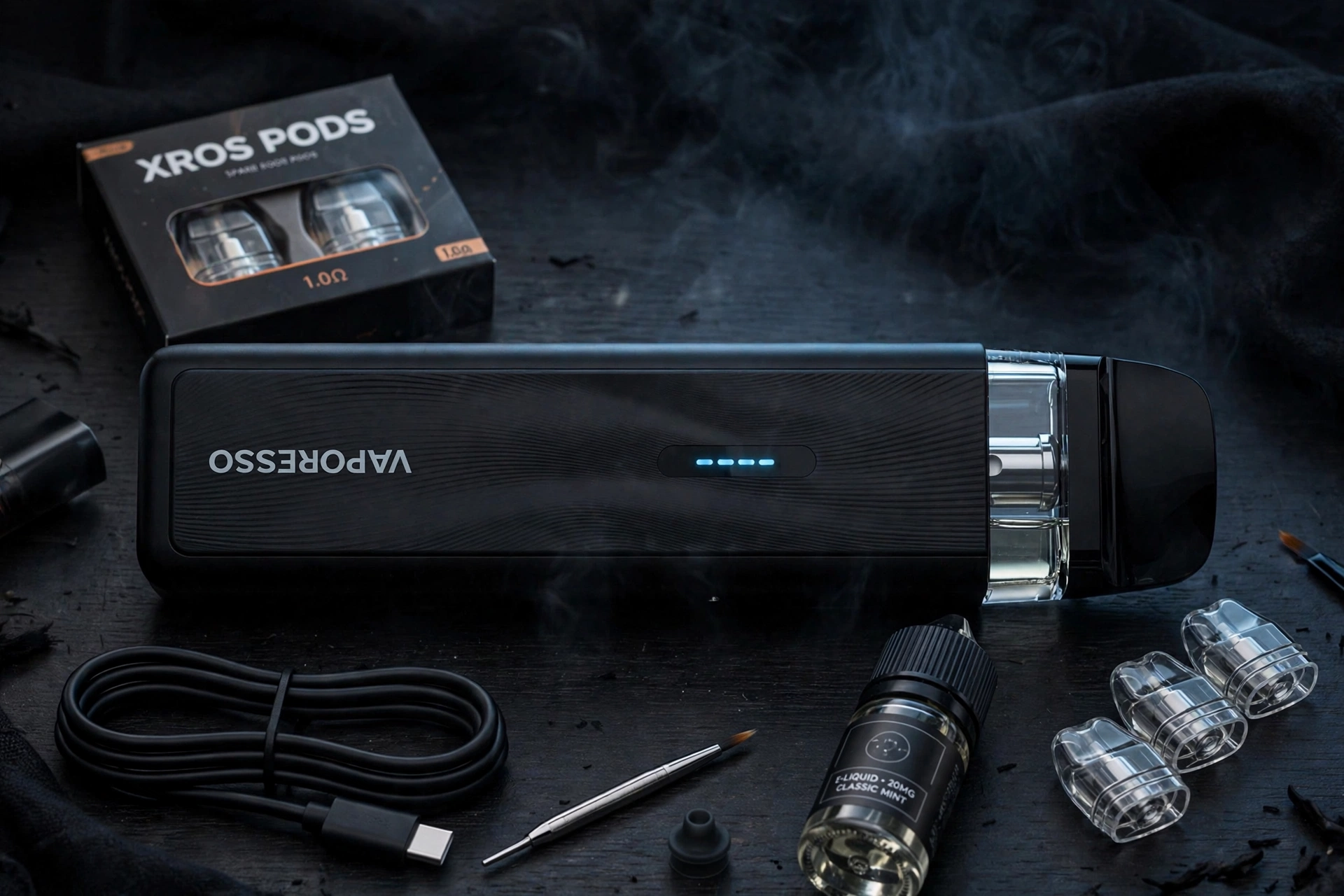
This Vaporesso XROS 5 Mini Not Working guide starts with the refillable pod kit, and that refillable design is the key to most faults. You keep the device, you fill the pod yourself with bottled liquid, and you replace the whole pod when its built-in coil is worn out. It is not a sealed disposable that you throw away when it stops, and it is not a prefilled kit with sealed containers. A fault that looks like a dead device is often just a pod that is not seated fully, a pod that is low on liquid, a battery that is flat even though the lights still show, or a pod that has run out of life.
Each pod holds its own coil, so a fault in one pod only is a pod fault, not a device fault. If one pod tastes burnt and a fresh pod tastes clean, the device is fine and the first pod is finished. If every pod gives the same fault, the device, the battery, or the pod seating is the more likely cause. That simple test, one pod against another, settles most faults on this kit before any replacement is needed.
Jump to Section
Vaporesso XROS 5 Mini at a Glance: Nothing to Set, Nothing to Press
Smart Mode, No Buttons, and the Hidden Tidal LED
Vaporesso XROS 5 Mini Problems in One Quick Look
Fixing the Vaporesso XROS 5 Mini, One Problem at a Time
Vaporesso XROS 5 Mini at a Glance: Nothing to Set, Nothing to Press
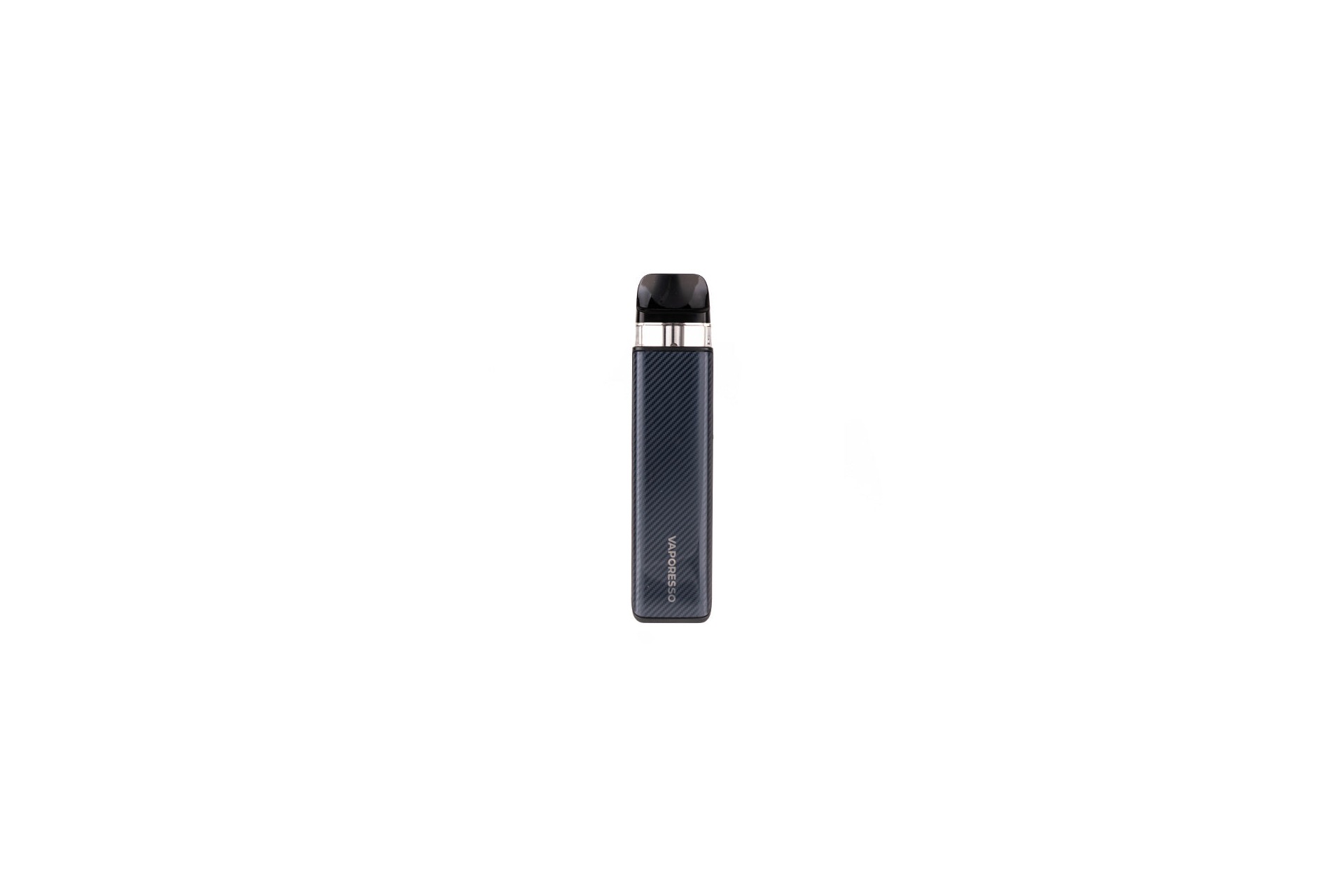
| Entity / feature | What it is on the kit |
|---|---|
| Brand | Vaporesso |
| Product | Vaporesso XROS 5 Mini refillable pod kit |
| Device type | Refillable pod kit, NOT a sealed disposable, NOT prefilled |
| Puff rating | No puff rating, see the puff note below |
| Battery | 1500mAh built-in, see the battery note below |
| Power | Up to 30W, Smart Mode sets it by pod, see the wattage note below |
| Liquid capacity | 2ml UK TPD top-fill pods |
| Pod | XROS COREX 3.0 mesh pod, coil built in, replace the whole pod |
| Pod resistances | 0.4 / 0.6 / 0.8 / 1.0 / 1.2 ohm, see the pod note below |
| Liquid | 50/50 VG/PG best, see the liquid note below |
| Firing | Auto-draw only, no fire button, see the firing note below |
| Draw style | Mouth to lung (MTL) and restricted direct to lung (RDL), adjustable airflow slider |
| Display | No screen, four Hidden Tidal LED lights for battery level |
| TPD position | 2ml pod within the UK pod limit, nicotine in liquid capped at 20mg per ml in the UK |
Puffs: no puff rating in the listings checked. Do not judge a pod as faulty because no puff number is given, because pod life is judged by taste and vapour, not by a count.
Battery: 1500mAh built-in in most listings. One review lists 1000mAh in a features box, while its own body text gives 1500mAh. This guide uses 1500mAh as the working figure and keeps the 1000mAh figure visible here, because the listings disagree.
Wattage: up to 30W, set by Smart Mode, with no adjustment by hand. The chip reads the pod resistance and sets the output for that pod. Pod wattages in the listings checked: 0.4 ohm 30W, 0.6 ohm 21W, 0.8 ohm 16W, 1.0 ohm 12W, 1.2 ohm 10W.
Pods: the UK kit ships with one 0.6 ohm COREX 3.0 pod in the box, fitted and ready to fill. Every XROS pod from 0.4 to 1.2 ohm fits, in COREX 2.0 and COREX 3.0.
Liquid: 50/50 VG/PG is best for the 0.6 ohm and higher pods. The 0.4 ohm pod suits high VG blends better and gives a stronger RDL draw. Do not use strong nic salt with the 0.4 ohm pod at high power.
Firing: auto-draw only, no fire button. There is no button to press and no mode to choose on this kit, so a fault is never a button or mode fault.
Charging: USB-C 2A, under an hour for a full charge in the listings checked, and 80% in 30 minutes in one listing. A cable is listed in the box list in one listing, so check your box first.
Do not confuse with the standard XROS 5, which has the same 1500mAh battery and the same pods, but adds a 0.88-inch screen, a fire button, power modes, and 3A charging. Do not confuse with the XROS 4 Mini, which has a 1000mAh battery, or with the XROS 6 Mini. Weight in the listings checked is 50g in one listing and about 45g in another, so this guide gives no single weight figure.
Smart Mode, No Buttons, and the Hidden Tidal LED
Check the pod, the liquid, and the battery before you assume a flavour or vapour fault. On this kit, the pod and the battery work as one system, so a pod fault can look like a device fault, and a battery fault can look like a pod fault.
How Smart Mode Sets the Wattage
The XROS 5 Mini has no wattage setting and no power modes to choose. Smart Mode, on the AXON chip, reads the resistance of the pod you fit and sets the output for that pod, up to 30W with a 0.4 ohm pod. There is nothing to configure, because the chip does the setting for you. If vapour is weak with one pod and strong with another pod, the fault is the first pod, not the wattage, because the wattage follows the pod. If vapour is weak with every pod, the fault is the battery or the liquid, not the wattage setting, because there is no wattage setting to get wrong.
To use the kit, fill the pod, seat it fully, and inhale. There is no button to press, no menu to open, and no mode to cycle through. The airflow slider on the side is the only setting on the device, and it moves the draw from a tight mouth-to-lung pull to a looser restricted lung draw.
Reading the Four LED Lights
The Hidden Tidal LED shows the battery level with four lights on the front of the device. Four lights mean 75-100%, three lights mean 50-75%, two lights mean 25-50%, and one light means under 25%. The lights are the main way to read the battery, and the pod window is the main way to read the liquid level. A device showing one light is enough to show the device needs charging, and a device showing four lights is enough to show the battery is not the fault. Do not judge the liquid level by the lights alone, because the lights show battery only, not liquid.
If the lights show a full battery and the device still gives weak vapour, the fault is the pod or the liquid, not the battery. If the lights stay dark after a full charge and a fresh pod test, the device needs replacement, not repeated refitting. Where the lights show a low battery, charge the device fully before you judge any other fault, because a low battery can look like a pod fault, a flavour fault, and a vapour fault all at once.
Vaporesso XROS 5 Mini Problems in One Quick Look
| Problem | First thing to check |
|---|---|
| Tight draw | Airflow setting, blocked inlets, pod seating, condensation |
| Not firing / pod not detected | Pod seating, contacts, battery, lights |
| Weak vapour | Battery, liquid, pod age, airflow, draw length |
| Fast battery drain | Draw length and frequency, charging habits, pod age, device age |
| Flashing / light trouble | Battery, pod seating, contacts, damage, lights |
| Leaking / gurgling | Pod seating, fill plug, liquid level, draw strength |
| Burnt taste | Liquid, pod age, draw speed, new pod rest |
| Flavour fading | Liquid, pod age, draw speed, try another pod |
| Not charging | USB-C cable, adapter, port, lights, damage |
| Auto-firing / getting hot | Stop using it at once, do not charge or reuse it |
Fixing the Vaporesso XROS 5 Mini, One Problem at a Time
The kit can stop hitting, fail to charge, leak, flash, or taste burnt when a pod, the contacts, the liquid level, the battery, or the airflow has a problem. Basic checks can help identify the cause before a pod or device replacement is needed.
Basic pod check, do this first for any problem below, unless that section tells you to stop for safety: Make sure the pod is fully seated and clicked in, the top-fill plug is closed, and the liquid level is above the coil. This is also how to use the kit correctly for the first time, and how to replace a pod correctly. Check the LED lights, charge the device fully, and check the airflow setting. If you have a fresh replacement pod, test with it. If a fresh pod works and the old pod does not, the old pod is finished, even if the device is fine. On a new pod, fill it, close the plug, seat it fully, and wait 5 minutes before the first draw.
If you also use the XROS 6 kit, see the Vaporesso XROS 6 Not Working guide.
1. Tight Draw From the Vaporesso XROS 5 Mini
Tight draw is when you have to pull hard to get vapour, or you get almost nothing even though the device still fires. This kit has an adjustable airflow slider, so the draw changes with the airflow setting, but a draw that gets much tighter than normal is a fault.
Common Causes
Blocked airflow inlets, lint or dust in the inlets, or condensation in the mouthpiece can make the draw feel tight. The airflow slider moved too far closed can also make the draw feel tight, and a pod not fully seated in the device can block the draw. A pod low on liquid, or a pod that has been used for many days, can give a tight, weak draw. A battery low on charge can also give a weak, tight feeling draw, because the coil does not heat fully.
How to Fix
Remove the pod and check the airflow inlets for lint, dust, or liquid, and wipe them with a dry tissue. Open the airflow slider a little and test again, then set it to the draw you want. Check that the pod is fully seated, wipe the mouthpiece and the pod contacts, and take a slow, steady draw, rather than a hard pull. If the draw stays tight, check the battery level and the liquid level, because a low battery and a low pod can also give a weak, tight feeling draw.
When to Replace
Replace the pod if the draw stays tight after cleaning, airflow checks, and a full refit. Replace the device if the draw stays tight on a fresh pod, with clean inlets, the airflow open, and a fully seated pod.
The Public Health Agency explains the latest UK rules on vaping, including the Tobacco and Vapes Act 2026, restrictions on access for under 18s, and the latest public health advice on vaping.
2. Vaporesso XROS 5 Mini Not Firing or Pod Not Detected
Not firing is when you draw and get nothing, or the device seems dead even though it charges. A pod not detected fault often shows by a complete lack of vapour, with no lights and no vapour on a draw.
Common Causes
A pod not fully seated in the device gives poor contact, so the device cannot detect the pod. A top-fill plug left open can also stop the kit from firing, because liquid cannot reach the coil evenly. Dirty contacts, condensation on the contacts, or a damaged pod can also cause a pod not detected fault. A battery that is very flat can leave the device dead on a draw, even if it shows a little life on charge.
How to Fix
Charge the device fully, then remove the pod and wipe the contacts with a dry tissue. Check the top-fill plug is closed, seat the pod back in until it clicks, and take a slow, steady draw. Check if the LED lights show on a draw and vapour follows. Test with a fresh pod if you have one, because a fresh pod test settles a pod detection fault fast.
When to Replace
Replace the pod if the device fires with a fresh pod, but not with the old pod, after a full charge and a clean refit. Replace the device if it will not fire with a fresh pod, a full battery, and clean contacts.
3. Weak Vapour From the Vaporesso XROS 5 Mini
Weak vapour is when you get a thin draw, a small cloud, or a flavour that seems far away, even though the device still fires. Weak vapour is often a liquid, battery, or pod fault, not a broken device on its own.
Common Causes
A pod low on liquid gives thin vapour first, then almost nothing. A pod that has been used for many days, or that has been in the device for a long time, gives weak vapour as the coil and wick wear. A battery low on charge gives weak vapour, because the coil does not heat fully. A pod not fully seated in the device can also give weak vapour, because the device cannot read the pod fully. One pod can also give weak vapour while another pod gives strong vapour, because Smart Mode sets the power by pod, and a worn pod gives less vapour at the same power.
How to Fix
Charge the device fully, then check the liquid level in the pod and fill it if it is low. Remove the pod, wipe the contacts with a dry tissue, seat the pod back in until it clicks, and test again. Check the airflow setting and open it a little, then take a slow, steady draw. This weak vapour fault is the same fault people describe as not hitting. If weak vapour stays on a fresh pod, the problem is not the old pod alone. Check the airflow as well, because a setting closed too far gives a thin draw.
When to Replace
Replace the pod if weak vapour stays after a full charge, a full refit, and a liquid check, and the pod has low liquid or many days on it. Replace the device if weak vapour stays on a fresh pod, with a full battery and a clean, fully seated pod.
4. Fast Battery Drain on the Vaporesso XROS 5 Mini
Fast battery drain is when the battery runs out much sooner than expected, even though the device still charges. A battery that drops in a few draws is a different fault from normal use over a day.
Common Causes
Long or frequent draws use more battery than short, occasional draws, and long draws use more power than short puffs, so a kit used for RDL draws will drain faster than the same kit used for MTL draws. A battery that is charged with a weak adapter, or that is topped up for a few minutes at a time, can show a full level that falls fast. A pod that is worn, or that gives weak vapour, can make a user draw harder and longer, which uses more battery. A device that is older, or that has been charged many times, can also hold less charge than a new device.
How to Fix
Charge the device fully with a trusted wall adapter, and avoid judging battery life from a short top up. Take slow, steady draws, with a gap between draws, and check battery life over a day, rather than after a few draws, because long RDL draws will drain the battery faster by design. Check the pod age and liquid level, because a worn pod can make you draw more. Clean the contacts and refit the pod, so the device does not waste power on a poor connection. The XROS 5 Mini uses a 1500mAh battery in its own listings, and heavy use will drain it faster than light use, because 1500mAh is a large battery for a Mini, but it is still a small battery for a full day of heavy use.
When to Replace
Replace the pod if battery drain stays fast on a fresh pod, with a full charge and normal draws, and the old pod was worn or low on liquid. Replace the device if battery drain stays fast on a fresh pod, with a full charge from a trusted adapter, clean contacts, and normal draws, and the battery runs out much sooner than expected.
5. Vaporesso XROS 5 Mini Flashing or Light Trouble
Flashing is when the LED lights blink, show a warning, or go out, even though the device still charges. On this kit, flashing means the Hidden Tidal LED lights, because the kit has lights for battery level in the listings checked, and no screen at all.
Common Causes
A battery low on charge can cause flashing or a low battery warning from the lights, and a battery that is very flat can leave the lights out. A pod not fully seated in the device gives poor contact, so the device cannot read the pod, and the lights can flash or stay out. Dirty contacts, condensation on the contacts, or a damaged pod can also cause flashing. A device that has been dropped, or that shows damage, can flash even with a full battery and a fresh pod.
How to Fix
Charge the device fully with a trusted USB-C cable and adapter, and check the lights again after a full charge. Remove the pod, wipe the contacts with a dry tissue, seat the pod back in until it clicks, and take a slow, steady draw. See if the lights show on a draw and the device gives vapour. If the lights clear after a full charge and a clean refit, the fault was battery level or pod seating, not a broken light.
When to Replace
Replace the pod if flashing or light trouble clears with a fresh pod, after a full charge and a clean refit. Replace the device if flashing or no lights stay with a fresh pod, a full battery, and clean contacts, or if the device shows damage.
6. Vaporesso XROS 5 Mini Leaking or Gurgling
Leaking is when liquid appears outside the pod, on the device, or on your hands, and gurgling is when the draw sounds wet and vapour feels thin. A little condensation in the mouthpiece is not the same as a leak, and a hard pull can make both worse.
Common Causes
A pod not fully seated in the device, or a top-fill plug left open, can leave a gap where liquid escapes. A damaged pod seal, or a pod that has been refilled many times, can also leak. Hard pulls pull liquid into the mouthpiece faster than the coil can heat it, and that liquid shows as gurgling. A device kept upside down for a long time, or in a hot pocket or bag, can also cause leaking, because heat and pressure push liquid out of the pod.
How to Fix
Remove the pod and wipe the pod, the device, and the mouthpiece with a dry tissue. Check the top-fill plug is closed, seat the pod back in until it clicks, and check the liquid level is not past the fill line. Take slow, steady draws, rather than hard pulls, and keep the device upright when it is not in use. This leaking and gurgling fault is the same fault people describe as leaking. If the mouthpiece has condensation, wipe it dry and test again with a slow draw. Do not keep using a pod that leaks heavily, even if it still gives vapour.
When to Replace
Replace the pod if leaking or gurgling stays after a clean refit, a fill plug check, and slow draws, and the pod seal shows damage. Replace the device if a fresh pod leaks in the same way, with a closed plug and slow draws, and the device contacts or pod bay show damage.
7. Burnt Taste From the Vaporesso XROS 5 Mini
Burnt taste is when vapour tastes harsh, dry, or like burnt cotton, even though the device still fires. Burnt taste is a sign that the coil is dry or worn, not a sign that the device needs a stronger draw.
Common Causes
A pod low on liquid, or a pod run with liquid below the coil, leaves the coil dry, and a dry coil burns on a draw. Hard, long draws, one after another with no gap, can dry the coil faster than liquid can reach it. A pod that has been used for many days gives burnt taste as the coil and wick wear, even if liquid is still present. A new pod fired before it has rested can also taste burnt, because the coil was dry on the first draw.
How to Fix
Check the liquid level in the pod first, then fill it if it is low. Take slow, steady draws, with a gap between draws, rather than hard pulls one after another. If burnt taste stays after a liquid check and slow draws, the problem is the pod, not the draw. There is no wattage setting to lower on this kit, because Smart Mode sets the power by pod, so a burnt taste is a pod fault, not a setting fault.
When to Replace
Replace the pod if the burnt taste stays after a liquid check and slow draws, and the pod has low liquid or many days on it. Do not keep using a pod that tastes burnt, because a burnt coil will not recover. Replace the device if a fresh pod tastes burnt straight away, after a 5-minute rest and slow draws, with a full battery and a fully seated pod.
8. Flavour Fading From the Vaporesso XROS 5 Mini
Flavour fading is when taste gets weaker over time, even though the device still fires and still gives vapour. Flavour fading is different from a burnt taste, because vapour still feels smooth, only the taste is faint. On this kit, flavour fading in one pod only is a pod fault, not a device fault, because each pod holds its own coil and its own fill of liquid.
Common Causes
A pod that has been used for many days gives fading flavour as the coil and wick wear, even if liquid is still present. A pod low on liquid gives fading flavour first, then weak vapour, then almost nothing. Long, hard draws can also dull flavour faster, because the coil heats more than it needs to for a normal draw. A pod that has been in the device for a long time can also give fading flavour, even if it has not been used heavily.
How to Fix
Charge the device fully, then check the liquid level in the pod and fill it if it is low. Remove the pod, wipe the contacts, and seat the pod back in until it clicks. Take slow, steady draws, with a gap between draws, and see if flavour returns on a fresh draw. If flavour stays faint in one pod, try another pod, because a pod that tastes full proves the device is fine and the first pod is finished. This flavour fading fault is the same fault people describe as flavour going flat, and a pod that tastes different after a refill is normal on this kit, because each fill holds the flavour you chose.
When to Replace
Replace the pod if flavour fading stays after a full charge, a liquid check, and a refit, and the pod has many days on it. Replace the device if flavour fading stays on a fresh pod, with a full battery and a clean, fully seated pod, and the other pods in the kit taste faint in the same way.
9. Vaporesso XROS 5 Mini Not Charging
Not charging is when the device shows no sign on charge, or the battery does not last, even though it is plugged in. A charging fault is often a cable or port fault, not a dead battery on its own.
Common Causes
A weak or damaged USB-C cable, a weak wall adapter, or a laptop port that does not give enough power can all cause not charging. Lint or dust in the charging port can block the cable, and a cable that is not pushed fully in can also fail to charge. A battery that is very flat can take a short time before the lights show on charge, so a charge judged in the first minute can look like a fault. A device with port damage, or with liquid in the port, can also fail to charge.
How to Fix
Use a trusted USB-C cable you know works, and a trusted wall adapter, and plug the device in directly from a wall socket, not from a weak laptop port. This is how to charge the kit correctly, and it is the first fix for not charging. Push the cable fully into the port, check for lint or dust with a dry tissue, and look for the LED lights on charge. Leave the device on charge and check again after a short time, rather than judging it in the first minute. Try one different trusted cable and one different trusted adapter, and if a cable works for another device but not for this kit, change the cable and the adapter together, not just one of them. A cable is listed in the box list in one listing, so check your box first, and use a trusted cable you know works if the box cable is missing or damaged. The listings checked give under an hour for a full charge, so judge charging by vapour and by the lights, not by the clock alone.
When to Replace
Replace the cable and adapter first if the device charges with a different cable and adapter. Replace the device if it will not charge with a trusted cable and adapter, a clean port, and a full charge time, and the lights show no sign on charge.
10. Vaporesso XROS 5 Mini Auto-Firing or Getting Hot
Auto-firing is when the device fires on its own, without a draw, or keeps firing after you stop drawing. Getting hot is when the device feels hot in a pocket, in a bag, or without use. This section is stop and replace only, with no fix steps that keep a faulty device in use.
Common Causes
Liquid in the pod bay, a damaged pod, or a device that has been dropped can cause auto-firing, because the draw sensor or the pod connection no longer reads correctly. Heat in a pocket or bag, or a device left in direct sunlight, can also make a device feel hot, and a device that fires on its own will also get hot from repeated firing. With no fire button on this kit, auto-firing can only come from the draw sensor or the pod connection, not from a stuck button.
How to Fix
Stop using the device at once. Do not charge it, do not draw from it, and do not try to fix it by removing and refitting pods, wiping contacts, or changing anything else. Keep it away from flammable material, and do not put it in a pocket or bag again. If it feels very hot, swollen, or smells of burning plastic, keep it away from people and pets, and follow local electronic waste rules for a damaged device.
When to Replace
Replace the device at once if it fires on its own, keeps firing after you stop drawing, or gets hot without use. Do not reuse the device, even if it stops firing for a short time, because the fault can return without warning.
FAQS (FREQUENTLY ASKED QUESTIONS)
Why is the Vaporesso XROS 5 Mini not hitting after charging?
Check the battery level on the LED lights, then check the pod seating, contacts, and liquid. A full charge does not help if the pod is not seated fully, if the top-fill plug is open, or if the pod is low on liquid. This is the answer for the XROS 5 Mini not hitting after charging. Charge fully, wipe the contacts, seat the pod in until it clicks, and test with a fresh replacement pod if you have one.
Why is the Vaporesso XROS 5 Mini not hitting after fitting a new pod?
Fill the new pod, close the top-fill plug, seat the pod in until it clicks, and wait 5 minutes before the first draw. There is no fire button to press on this kit, because it is auto-draw only. A pod that is not seated fully, or a plug left open, will not hit even if the battery is full.
How do you set up the Vaporesso XROS 5 Mini?
Unbox the device and take the battery device, the pod, and the cable out of the packaging. Fill the pod with liquid, close the top-fill plug, seat the pod in until it clicks, and wait 5 minutes before the first draw. Check the LED lights, because they should show the battery level, and set the airflow slider to the draw you want.
How do you change the pod on the Vaporesso XROS 5 Mini?
Pull the old pod out of the device. Fill the new pod with liquid, close the top-fill plug, seat the new pod in until it clicks, and wait 5 minutes before the first draw. To change flavour, fit a fresh pod with a different liquid, because each pod holds the flavour you chose.
Can you refill the Vaporesso XROS 5 Mini?
Yes. This kit is a refillable pod kit, not a prefilled kit and not a sealed disposable. The pods come empty, and you fill them yourself with bottled liquid through the top-fill plug. When a pod tastes burnt or gives weak flavour, replace the pod with a fresh XROS pod in the same resistance. Never try to refill a pod that is damaged or leaking, because a damaged pod will not seal again.
How long does it take to charge the Vaporesso XROS 5 Mini?
The listings checked give under an hour for a full charge, with a USB-C cable at 2A, and 80% in 30 minutes in one listing. Use a trusted USB-C cable and a trusted wall adapter, and charge until the LED lights show a full battery, or until vapour returns on a draw. Judge charging by vapour and by the lights, not by the clock alone.
How many puffs does the Vaporesso XROS 5 Mini give?
The Vaporesso XROS 5 Mini gives no puff rating in the listings checked. Pod life is judged by taste and vapour, not by a count. A pod that gives weak flavour or burnt taste is finished, because coil wear and liquid level matter more than any puff number alone.
What pods work with the Vaporesso XROS 5 Mini?
Every XROS pod from 0.4 to 1.2 ohm fits in COREX 2.0 and COREX 3.0. Pods for other brands do not fit this device in the same way, and forcing a wrong pod can damage the connection and cause leaking. Check the pod name before you buy, and note that the XROS 5 Mini ships with one 0.6 ohm pod only, while the standard XROS 5 ships with a 0.6 ohm pod fitted and a 0.8 ohm pod spare.
Is the Vaporesso XROS 5 Mini the same as the Vaporesso XROS 5?
No. The XROS 5 Mini is the simpler sibling, with the same 1500mAh battery and the same pods, but no screen, no button, and no power modes. The standard XROS 5 adds a 0.88-inch colour screen, a fire button, power modes, and 3A charging. This guide is written for the XROS 5 Mini name and its own listings, and it keeps the two kits separate, because the screen, the button, and the charging are different.
How should you store the Vaporesso XROS 5 Mini?
Store the device upright, in a cool, dry place, away from direct sunlight, heat, and water, and out of reach of children. Keep it out of a pocket or bag where the device can be damaged. Dispose of used pods and a finished device under local electronic waste rules, not in normal household waste.