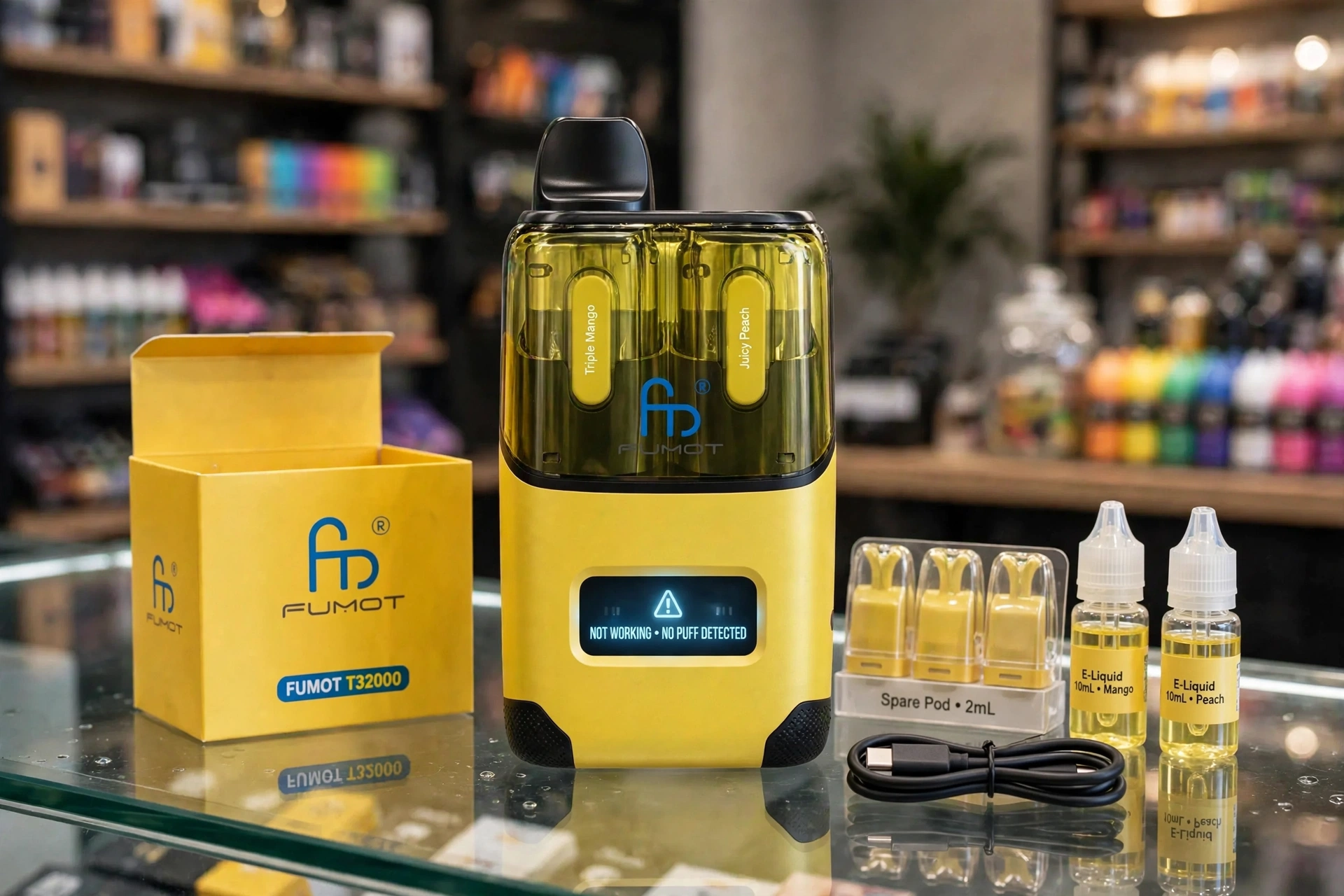
This Fumot T32000 Not Working guide starts with a rechargeable prefilled pod kit with two flavours in one device, and that two flavour system explains most faults. You keep the battery device, and you replace the pods when they run out. It is not a sealed disposable that you throw away when it stops, and it is not a kit you fill yourself with a bottle as a rule, in the listings checked. Each flavour has its own pod and its own mesh coil, and you switch between flavours with a swivel mouthpiece toggle, with no pod removal in the listings. A fault that looks like a dead device is often just the wrong flavour selected, a pod that is not seated, or a refill container that is empty on the side in use.
Jump to Section
Fumot T32000 at a Glance: A Dual Flavour Prefilled Kit, Not a Disposable
Two Flavours, One Swivel, Two Pods
Fumot T32000 Problems in One Quick Look
Fixing the Fumot T32000, One Problem at a Time
Fumot T32000 at a Glance: A Dual Flavour Prefilled Kit, Not a Disposable
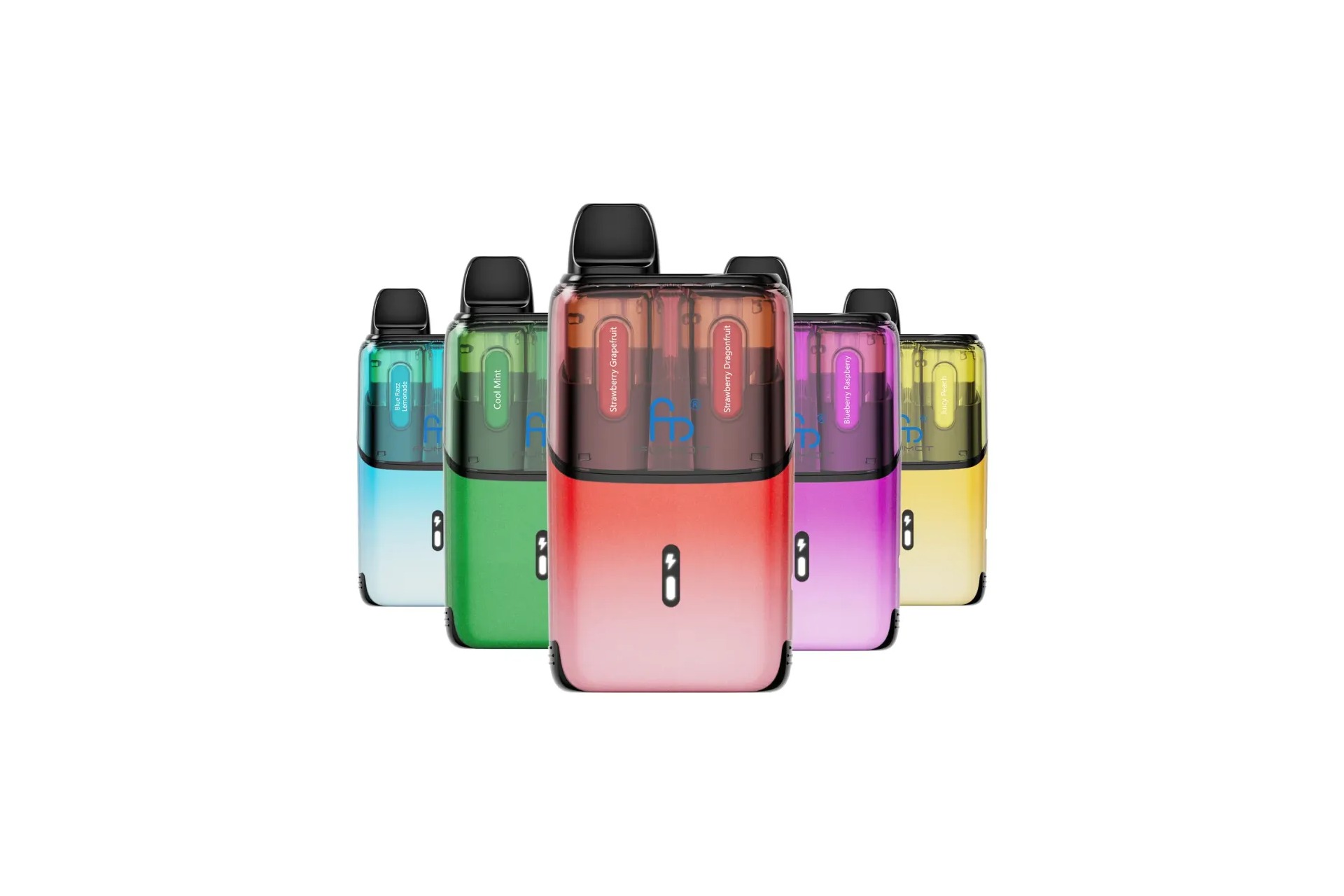
| Entity / feature | What it is on the kit |
|---|---|
| Brand | Fumot, RandM Tornado range |
| Product | Fumot T32000 Prefilled Pod Kit, also sold as Fumot RandM Ultra T32000 and RandM Tornado Fumot Ultra T32000 |
| Device type | Rechargeable prefilled pod kit, NOT a sealed disposable, NOT user refillable as a rule in the listings checked |
| Puff rating | Up to 32,000 puffs per full setup, an approximate maker rating that varies with draw length and frequency |
| Battery | 800mAh built-in in most listings, rechargeable by USB-C, see the battery note below |
| Pod and refill total | 24ml in total per full setup, 2 x 2ml prefilled pods plus 2 x 10ml refill containers |
| Nicotine strength | 20mg per ml (2 percent) nicotine salt in the listings checked, the only strength listed |
| Coil | Mesh coil built into each pod, not replaceable on its own |
| Flavours per setup | Two flavours active in one device, in two independent flavour sides |
| Flavour switching | Swivel mouthpiece toggle, switch between the two flavours without removing a pod |
| Firing | Draw activated, no fire button in the listings checked |
| Draw style | Mouth to lung (MTL) in the listings checked |
| Display | LED screen showing battery level and puff count in the most detailed listings, see the display note below |
| Pod connection | Push in to fit, pull to remove, with a plastic top part that comes off to fit the liquid capsules in one review |
| Replacement pods | Fumot T32000 replacement pods only in the listings checked, 16,000 puffs per pod in one listing |
| TPD position | Pod chamber within the 2ml pod limit, refill containers within the 10ml container limit, and 20mg per ml maximum, as set out in UK rules |
The battery needs a clear note, because listings give two figures for the same kit. Most listings, and the Planet of the Vapes review, give 800mAh. VapeVerse and the VapeSquard spec tables give 850mAh, and one listing gives a range of 800 to 850mAh. This guide uses 800mAh as the working figure, from the most listings, and it keeps the 850mAh figure visible here. The battery figure does not change any fix below, because every charging check is judged by the screen and by a trusted cable and adapter, not by the mAh figure alone.
The display also needs a clear note. The most detailed listings call it an LED screen showing battery level and puff count, and VapeVerse says it shows real time battery percentage and puff count tracking. Other listings call it an LED screen showing battery level only. This guide calls it a screen, and it does not rely on one exact field list. A screen that shows a battery level is enough for every charging check below, and a puff count, where shown, is enough for every use check below.
Do not confuse this kit with a single flavour disposable, or with the Fumot RandM T9000, a different device further down the Boss list. This kit is a dual flavour device, with two pods and two refill containers, and it uses replacement pods for this kit only. Pods for other models or other brands do not fit this device in the same way, and forcing a wrong pod can damage the connection and cause leaking. Check the device name on the pod before you buy.
Note on the box and the cable: VapeVerse lists the box as the device, two prefilled pods, and a user manual, with no cable named. Planet of the Vapes says you do not get a cable with it. Other listings list a USB-C cable in the box. This guide does not assume a cable is included, so check your box before you assume one is there, and use a trusted cable you know works.
Note on refilling: listings disagree on this point, and this guide does not state own liquid refilling as settled. VapeVerse says the kit is rechargeable but not refillable, and it uses sealed prefilled pods, with pod replacement once e-liquid is gone. One review says the 10ml containers can be filled with the user’s own e-liquid. This guide uses only the supplied prefilled pods and refill containers in every fix below, and it does not tell you to fill a container with your own liquid.
Two Flavours, One Swivel, Two Pods
Check the swivel position, the screen, and the container on the side in use before you assume a flavour or vapour fault. On the Fumot T32000, the swivel, the screen, and the two pods work as one system, so a swivel mistake can look like a pod fault, and a pod fault on one side can look like a device fault.
How the Swivel and Refill Containers Work Together
Use the swivel mouthpiece to change to the flavour you want, and the screen should show the side in use. You do not need to remove a pod to switch flavours, and you should not remove a pod to switch flavours. A flavour that seems to have changed on its own is often just a swivel that moved in a pocket or bag, or a swivel that was moved during fitting and never moved back. Swivel firmly to the side you want, check the screen, and take a slow draw before you judge the flavour.
Each flavour side is fed by its own pod and its own refill container. One side can run low while the other still tastes full, so a side that gives almost nothing is not proof that the whole setup is finished. Check the liquid on the side in use, swivel to the other side, and see if that side gives full vapour. If both sides are low, the setup is finished, even if the battery device still charges and the screen still lights up.
Reading the LED Screen
The screen shows battery level in every listing checked, and puff count in the most detailed listings. A screen that shows a battery level is not a fault. A screen that shows nothing after a full charge, a very low battery, or a puff count that stays still after many draws is the real problem. Where a puff count is shown, you can also look at it and see if the count is moving, even before taste changes.
If the screen shows a low battery warning that clears after a full charge, the fault was battery level, not a broken device. If the screen stays blank, or shows a warning that does not clear after a full charge and a fresh pod test, the device needs replacement, not repeated swivelling or refitting.
Fumot T32000 Problems in One Quick Look
| Problem | First thing to check |
|---|---|
| Not charging | USB-C cable, adapter, port, screen charging sign, damage |
| Mixed flavours / one side not working | Swivel position, screen, liquid on the side in use |
| Weak vapour | Battery, liquid on the side in use, pod age, swivel position, draw length |
| Flashing / screen trouble | Battery, pod seating, contacts, damage |
| Leaking / gurgling | Pod seating, pod seal, container matching, draw strength |
| Tight draw | Blocked inlets, pod seating, condensation, seals left on a new pod |
| Burnt taste | Liquid on the side in use, pod age, draw speed, new pod rest |
| Fast battery drain | Draw length and frequency, charging habits, pod age, device age |
| Not firing / pod not detected | Pod alignment, connection, battery, seals, contacts |
| Auto-firing / getting hot | Stop using it at once, do not charge or reuse it |
Fixing the Fumot T32000, One Problem at a Time
The kit can stop hitting, fail to charge, leak, flash, or taste burnt when a pod, the contacts, the liquid level, the swivel, the battery, or the airflow has a problem. Basic checks can help identify the cause before a pod or device replacement is needed.
Basic pod check, do this first for any problem below, unless that section tells you to stop for safety: Make sure every pod is fully seated, with no gap and no wobble, and that each pod matches its correct flavour side. This is also how to use the kit correctly for the first time, and how to replace a pod correctly. Wipe the pod contacts and the device contacts with a dry tissue, check the liquid on the side in use, check the swivel position and the screen, charge the device fully until the screen shows a full battery, and give a new pod a short rest before the first draw. If you have a fresh replacement pod, test with it. If a fresh pod works and the old pod does not, the old pod is finished, even if the device is fine. On a new pod, remove every protective seal first, then push the pod in until it sits firmly.
If you also use the Switch kit, see the Crystal Pro Switch 30K Not Working guide.
1. Fumot T32000 Not Charging
Not charging is when the device shows no charging sign on the screen, or the battery level does not rise, even though it is plugged in. A charging fault is often a cable or port fault, not a dead battery on its own.
Common Causes
A weak or damaged USB-C cable, a weak wall adapter, or a laptop port that does not give enough power can all cause not charging. Lint or dust in the charging port can block the cable, and a cable that is not pushed fully in can also fail to charge. A battery that is very flat can take a short time before the screen shows a charging sign, so a charge judged in the first minute can look like a fault. A device with port damage, or with liquid in the port, can also fail to charge.
How to Fix
Use a trusted USB-C cable you know works, and a trusted wall adapter, and plug the device in directly from a wall socket, not from a weak laptop port. This is how to charge the kit correctly, and it is the first fix for not charging. Push the cable fully into the port, check for lint or dust with a dry tissue, and look for a charging sign on the screen. Leave the device on charge and check the screen again after a short time, rather than judging it in the first minute. Try one different trusted cable and one different trusted adapter, and if a cable works for another device but not for this kit, change the cable and the adapter together, not just one of them.
When to Replace
Replace the cable and adapter first if the device charges with a different cable and adapter. Replace the device if it will not charge with a trusted cable and adapter, a clean port, and a full charge time, and the screen shows no charging sign.
For UK evidence on vaping and harm reduction, including that e-cigarettes are demonstrably less harmful than smoked tobacco but not harmless, and can help more people quit smoking, see Royal College of Physicians.
2. Mixed Flavours or One Side Not Working on the Fumot T32000
Mixed flavours are when you taste the wrong flavour, or both flavours at once, and one side not working is when one flavour gives vapour and the other gives almost nothing. On a dual flavour kit, this is usually a swivel or liquid fault, not a device fault.
Common Causes
A swivel left on the wrong side, or a swivel that moved in a pocket, gives the flavour from that side, and it can look like a mixed flavour fault. A side that is low on liquid gives weak or mixed taste, while the other side still tastes full, because each side has its own pod and container. A pod that is not fully seated on one side, or a pod fitted on the wrong flavour side, can also cause one side to stay silent. A worn pod on one side gives fading taste on that side only.
How to Fix
Check the swivel first, then the screen. Swivel firmly to the side you want, check that the screen shows that side, and take a slow draw. Check the liquid on the side in use, then swivel to the other side and test it. If one side tastes mixed and the other tastes clean, the problem is with the side in use, not with the whole setup. Refit the pod on the silent side until it sits firmly, with no gap and no wobble, and check that it matches its correct flavour side.
When to Replace
Replace the pod on the side that stays silent or mixed after a swivel check, a liquid check, and a clean refit. Replace the device only if both sides stay silent or mixed with fresh pods, a full battery, and clean contacts.
3. Weak Vapour From the Fumot T32000
Weak vapour is when you get a thin draw, a small cloud, or a flavour that seems far away, even though the device still fires. On a dual flavour kit, weak vapour on one side only is a pod or liquid fault, not a device fault.
Common Causes
A pod low on liquid gives thin vapour first, then almost nothing. A pod that has been used for many puffs, or that has been in the device for a long time, gives weak vapour as the coil and wick wear. A battery low on charge gives weak vapour, because the coil does not heat fully. A swivel left on the wrong side, or a pod not fully seated, can also give weak vapour on the side in use, while the other side still works.
How to Fix
Charge the device fully until the screen shows a full battery, then check the liquid level. Remove the pod, wipe the contacts with a dry tissue, push the pod in until it sits firmly, and test again. Take a slow, steady mouth to lung draw. Give a new pod a short rest before the first draw, so the coil is fully primed and vapour is not weak from a dry start. This weak vapour fault is the same fault people describe as not hitting. If weak vapour stays on a fresh pod, the problem is not the old pod alone.
When to Replace
Replace the pod if weak vapour stays after a full charge, a full refit, and a test, and the pod has low liquid or many puffs on it. Replace the device if weak vapour stays on a fresh pod, with a full battery and a clean, fully seated pod.
4. Fumot T32000 Flashing or Screen Trouble
Flashing is when the screen blinks, shows a warning, or goes blank, even though the device still charges. A screen fault is often a battery or pod seating fault, not a broken screen on its own.
Common Causes
A battery low on charge can cause flashing or a low battery warning on the screen, and a battery that is very flat can leave the screen blank. A pod that is not fully seated gives poor contact, so the device cannot read the pod, and the screen can flash or stay blank. Dirty contacts, condensation on the contacts, or a damaged pod can also cause flashing. A device that has been dropped, or that shows damage, can flash even with a full battery and a fresh pod.
How to Fix
Charge the device fully with a trusted USB-C cable and adapter, and check the screen again after a full charge. Remove the pod, wipe the contacts with a dry tissue, push the pod in until it sits firmly, and check the swivel position. Take a slow, steady draw, and see if the screen shows a battery level and a side in use. If the screen shows a battery level after a full charge and a clean refit, the fault was battery level or pod seating, not a broken screen.
When to Replace
Replace the pod if flashing or screen trouble clears with a fresh pod, after a full charge and a clean refit. Replace the device if flashing or a blank screen stays with a fresh pod, a full battery, and clean contacts, or if the device shows damage.
5. Fumot T32000 Leaking or Gurgling
Leaking is when liquid appears outside the pod, on the device, or on your hands, and gurgling is when the draw sounds wet and vapour feels thin. A little condensation in the mouthpiece is not the same as a leak, and a hard pull can make both worse.
Common Causes
A pod that is not fully seated, or a pod fitted on the wrong side, can leave a gap where liquid escapes. A damaged pod seal, or a pod that has been refitted many times, can also leak. Hard pulls pull liquid into the mouthpiece faster than the coil can heat it, and that liquid shows as gurgling. A device kept upside down, except for the short flip in one listing to prime a new pod, or in a hot pocket or bag, can also cause leaking, because heat and pressure push liquid out of the pod.
How to Fix
Remove the pod and wipe the pod, the device, and the mouthpiece with a dry tissue. Push the pod in until it sits firmly, with no gap and no wobble. Take slow, steady draws, rather than hard pulls, and keep the device upright. This leaking and gurgling fault is the same fault people describe as leaking. If the mouthpiece has condensation, wipe it dry and test again with a slow draw. Do not keep using a pod that leaks heavily, even if it still gives vapour.
When to Replace
Replace the pod if leaking or gurgling stays after a clean refit and slow draws, and the pod seal or container shows damage. Replace the device if a fresh pod leaks in the same way, with a fully seated pod and slow draws, and the device contacts or pod bay show damage.
6. Tight Draw From the Fumot T32000
Tight draw is when you have to pull hard to get vapour, or you get almost nothing even though the device still fires. This kit is a mouth to lung device in the listings checked, so the draw is restricted by design, but a draw that gets much tighter than normal is a fault.
Common Causes
Blocked airflow inlets, lint or dust in the inlets, or condensation in the mouthpiece can make the draw feel tight. A pod that is not fully seated, or a pod with a seal left on, can also block the draw. A pod low on liquid, or a pod that has been used for many puffs, can give a tight, weak draw. A battery low on charge can also give a weak, tight feeling draw, because the coil does not heat fully.
How to Fix
Remove the pod and check the airflow inlets for lint, dust, or liquid, and wipe them with a dry tissue. Check that every seal is removed from a new pod, then push the pod in until it sits firmly. Wipe the mouthpiece and the pod contacts, and take a slow, steady draw, rather than a hard pull. If the draw stays tight, check the screen battery level, because a low battery can also give a weak, tight feeling draw.
When to Replace
Replace the pod if the draw stays tight after cleaning, seal checks, and a full refit. Replace the device if the draw stays tight on a fresh pod, with clean inlets and a fully seated pod.
7. Burnt Taste From the Fumot T32000
Burnt taste is when vapour tastes harsh, dry, or like burnt cotton, even though the device still fires. Burnt taste is a sign that the coil is dry or worn, not a sign that the device needs a stronger draw.
Common Causes
A pod low on liquid, or a refill container that is empty on the side in use, leaves the coil dry, and a dry coil burns on a draw. A new pod used straight away, with no short rest before the first draw, can also taste burnt, because liquid has not reached the coil evenly. Hard, long draws, one after another with no gap, can dry the coil faster than liquid can reach it. A pod that has been used for many puffs gives burnt taste as the coil and wick wear, even if liquid is still present.
How to Fix
Check the liquid on the side in use first, then swivel to the other side and see if that side tastes clean. Give a new pod a short rest of two to three minutes before the first draw, so the coil is fully primed and vapour is not burnt from a dry start. One listing also says to flip the whole device upside down for a few seconds to help liquid soak into the mesh coil, so try that short flip once, then keep the device upright for use. Take slow, steady draws, with a gap between draws, rather than hard pulls one after another. If burnt taste stays on one side only, the problem is with that side, not with the whole setup.
When to Replace
Replace the pod if the burnt taste stays after a liquid check, a rest, and slow draws, and the pod has low liquid or many puffs on it. Do not keep using a pod that tastes burnt, because a burnt coil will not recover. Replace the device if a fresh pod tastes burnt straight away, after a rest and slow draws, with a full battery and a fully seated pod.
8. Fast Battery Drain on the Fumot T32000
Fast battery drain is when the screen shows a falling battery level much sooner than expected, even though the device still charges. A battery that drops in a few draws is a different fault from normal use over a day.
Common Causes
Long or frequent draws use more battery than short, occasional draws, and a mesh coil device uses more power when it is used heavily. A battery that is charged with a weak adapter, or that is topped up for a few minutes at a time, can show a full screen level that falls fast. A pod that is worn, or that gives weak vapour, can make a user draw harder and longer, which uses more battery. A device that is older, or that has been charged many times, can also hold less charge than a new device.
How to Fix
Charge the device fully with a trusted wall adapter until the screen shows a full battery, and avoid judging battery life from a short top up. Take slow, steady draws, with a gap between draws, and check the screen battery level over a day, rather than after a few draws. Check the pod age and liquid level, because a worn pod can make you draw more. Clean the contacts and refit the pod, so the device does not waste power on a poor connection. The Fumot T32000 uses an 800mAh battery in most listings, with 850mAh in some spec tables, and heavy use will drain either figure faster than light use.
When to Replace
Replace the pod if battery drain stays fast on a fresh pod, with a full charge and normal draws, and the old pod was worn or low on liquid. Replace the device if battery drain stays fast on a fresh pod, with a full charge from a trusted adapter, clean contacts, and normal draws, and the screen shows a falling level much sooner than expected.
9. Fumot T32000 Not Firing or Pod Not Detected
Not firing is when you draw and get nothing, or the device seems dead even though it charges. A pod not detected fault often shows by a complete lack of vapour, with no flashing or no screen change on a draw.
Common Causes
A pod that is not fully seated gives poor contact, so the device cannot detect the pod. Dirty contacts, condensation on the contacts, or a damaged pod can also cause a pod not detected fault. A battery that is very flat can leave the device dead on a draw, even if it shows a little life on charge. A seal left on a new pod blocks contact, and a pod fitted on the wrong side can also fail to fire on the side in use.
How to Fix
Charge the device fully until the screen shows a full battery, then remove the pod and wipe the contacts with a dry tissue. Check that every protective seal is removed from a new pod, then push the pod in until it sits firmly, with no gap and no wobble. Check the swivel position and the screen, and take a slow, steady draw. Test with a fresh pod if you have one, because a fresh pod test settles a pod detection fault fast.
When to Replace
Replace the pod if the device fires with a fresh pod, but not with the old pod, after a full charge, a clean refit, and a seal check. Replace the device if it will not fire with a fresh pod, a full battery, and clean contacts.
10. Fumot T32000 Auto-Firing or Getting Hot
Auto-firing is when the device fires on its own, without a draw, or keeps firing after you stop drawing. Getting hot is when the device feels hot in a pocket, in a bag, or without use. This section is stop and replace only, with no fix steps that keep a faulty device in use.
Common Causes
Liquid in the pod bay, a damaged pod, or a device that has been dropped can cause auto-firing, because the draw sensor or the pod connection no longer reads correctly. Heat in a pocket or bag, or a device left in direct sunlight, can also make a device feel hot, and a device that fires on its own will also get hot from repeated firing.
How to Fix
Stop using the device at once. Do not charge it, do not draw from it, and do not try to fix it by removing and refitting pods, wiping contacts, or changing anything else. Keep it away from flammable material, and do not put it in a pocket or bag again. If it feels very hot, swollen, or smells of burning plastic, keep it away from people and pets, and follow local electronic waste rules for a damaged device.
When to Replace
Replace the device at once if it fires on its own, keeps firing after you stop drawing, or gets hot without use. Do not reuse the device, even if it stops firing for a short time, because the fault can return without warning.
FAQS (FREQUENTLY ASKED QUESTIONS)
Why is the Fumot T32000 not hitting after charging?
Check the battery level on the screen, then check pod seating, contacts, and seals. A full charge does not help if the pod is not seated, if a seal is left on a new pod, or if the pod is low on liquid. This is the answer for not hitting after charging. Charge fully, wipe the contacts, refit the pod until it sits firmly, and test with a fresh replacement pod if you have one.
Why is the Fumot T32000 not hitting after fitting a new pod?
Remove every protective seal from the new pod, then push the pod in until it sits firmly. Give the new pod a short rest before the first draw, check the swivel and the screen, and take a slow, steady draw. A pod that is not fully seated, or that has a seal left on, will not hit even if the battery is full.
How do you switch flavours on the Fumot T32000?
Use the swivel mouthpiece to change to the flavour you want, and check the screen for the side in use. You do not need to remove a pod to switch flavours. Swivel firmly to the side you want, check the screen, and take a slow draw before you judge the flavour.
How do you change the pod on the Fumot T32000?
Pull the old pod straight out of the device. Remove every seal from the new pod, align it with the pod slot, and push it in until it sits firmly, with no gap and no wobble. Give the new pod a short rest before the first draw, and check the swivel and the screen.
Can you refill the Fumot T32000 pods?
Listings disagree on this point, so this guide does not give a yes or no as settled. VapeVerse says the kit is rechargeable but not refillable, and it uses sealed prefilled pods, with pod replacement once e-liquid is gone. One review says the 10ml containers can be filled with the user’s own e-liquid. This guide uses only the supplied prefilled pods and refill containers, and it does not tell you to fill a container with your own liquid. Never open, pierce, or try to refill a sealed pod or refill container.
How long does it take to charge the Fumot T32000?
Most listings give no single minute figure, so this guide does not give a single minute guarantee. Use a trusted USB-C cable and a trusted wall adapter, and charge until the screen shows a full battery. Judge charging by the screen, not by the clock alone.
How many puffs does the Fumot T32000 give?
The Fumot T32000 gives up to 32,000 puffs per full setup in the listings checked, also written as 32000 in some listings. That figure is approximate, not a guarantee, and actual use varies with draw length and frequency. Each pod gives up to 16,000 puffs in one listing, so a pod used alone will not reach the full figure, because the figure reflects the full system, with both pods and both refill containers.
What pods work with the Fumot T32000?
Only Fumot T32000 replacement pods, also sold as Fumot T32K pods in some listings. Pods for other models or other brands do not fit this device in the same way, and forcing a wrong pod can damage the connection and cause leaking. Check the device name on the pod before you buy.
Is the Fumot T32000 available without nicotine?
The listings checked only show a 20mg per ml nicotine salt version, with no zero nicotine version named. Check the pack label before you buy, because a version not named in the listings checked may still appear in a shop, and this guide does not assume it exists.
How should you store the Fumot T32000?
Store the device upright, in a cool, dry place, away from direct sunlight, heat, and water, and out of reach of children. Keep it out of a pocket or bag where the swivel can move or the device can be damaged. Dispose of used pods and a finished device under local electronic waste rules, not in normal household waste.